Set up & use
Fine-tune your printer
Five quick test prints to get the width, pictures and language right.
Do this once for each new printer. It takes about five minutes and a little paper. The test buttons are on the printer's "Edit" screen.
Before you start
- 1Find your printer on the main screen.
- 2Tap "Edit".
- 3Check "Paper width" matches your paper roll.
Step 1: Short text
- 1Under "Test prints", tap "Short text".
- 2A few lines should print.
- 3Nothing printed? Check the connection first (see the Bluetooth, USB or Network page).
Step 2: Long test
- 1Tap "Long test".
- 2Look at the ruler on the slip.
- 3The ruler should reach the right edge of the paper, with nothing cut off.
- 4Ruler cut off on the right? Lower "Print area (dots)" a little (for example by 8 or 16) and try again.
- 5Ruler stops well before the edge? Raise "Print area (dots)" and try again.
Step 3: Test image
- 1Under "Image printing", tap "Test image".
- 2A clear picture should print.
- 3Symbols, garbage or nothing? Pick another option under "Image printing" and tap "Test image" again.
Step 4: Print language sample
- 1Under "Text & language", tap "Print language sample".
- 2Check that the letters of your language look right.
- 3See ? marks or boxes? Pick "Print text as image" and try again.
Step 5: Calibrate
- 1Tap "Save".
- 2On the main screen, tap "Calibrate" on the printer's card.
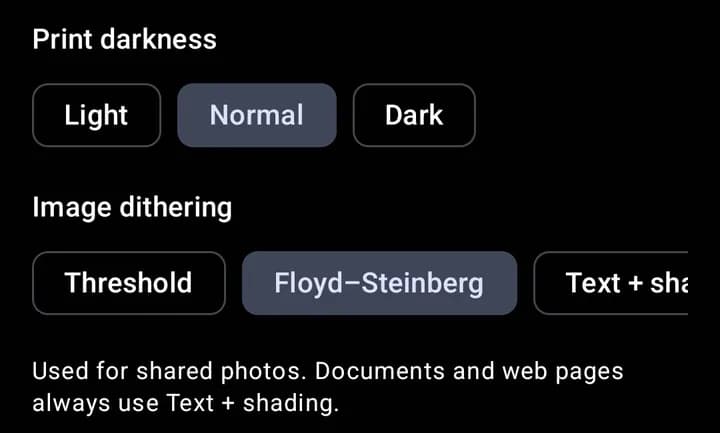
- 3Pick the darkness strip that looks best and set "Print darkness" to match.
- 4Is the last line cut through? Raise "Lines to feed before cut".
- 5Tap "Save".
Common print area numbers
| Paper | Print area (dots) |
|---|---|
| 58 mm, 203 dpi | Usually 384 |
| 80 mm, 203 dpi | Usually 576 |
| 58 mm, 300 dpi | Usually 576 |
| 80 mm, 300 dpi | Usually 864 |
Tip
58 mm paper is usually 384 dots at 203 dpi, and 80 mm is 576 dots. Some 58 mm printers print a little less, for example 360 or 372. The Long test ruler shows you.
Tip
Change one thing at a time and tap "Save". Then print the test again.